Microsoft Sidewinder X5


Feature
A real shortcoming of the X5 however are the thumb buttons. Contrary to almost every other gaming mouse out there, they are located above each other. While this may, in theory, make them easier to reach, this alignment feels unnatural – we found it hard to reach up, instead of forward, without thinking to reach the second mouse button. As mentioned before, one of the changes from the original Sidewinder is the fact that the thumb buttons are now fashioned from black plastic – not that this changes anything in terms of functionality.
Wheel
Customisability
Intellipoint, Microsoft’s mouse setting editor, integrates itself seamlessly into the operating system’s (XP or Vista) standard mouse setting window, which is a nice feature. The driver is delivered on a CD with the mouse, but can naturally also be downloaded from Microsoft’s homepage.
In the editor, the user must first select his/her peripheral, and is then free to a wide variety of possible commands to the customizable buttons on the mouse. A small animation shows which button is where, and which one is being edited right now. Unfortunately, quite a few of the aforementioned commands are, more or less, Vista-only commands and shortcuts. However, there is also a plain, but functional macro editor included, where users can record (and edit) their own macros, name them, and then assign them to a mouse button.
Ratings
As usual, we’ve rated the Microsoft Sidewinder X5 mouse in five different categories.
Ergonomy 8
Buttons 7
Wheel 7.5
Customisability 8
Drivers 9
Overall 7.9
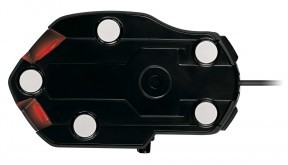
Overall, we can say that Microsoft has done a good job. They’ve managed to drop the price of their top-of-the-line Sidewinder mouse without sacrificing anything important, which is no mean feat. While the X5 does have some shortcomings, such as the plastic feet (in our opinion, Teflon has long become and industry standard here, for good reason) and the placement of the thumb buttons, the X5 boasts all the necessary ingredients of a great gaming mouse. If you’re looking for a cheap, durable gaming mouse, the Sidewinder X5 should definitely be on your list.